










SysInfo Mac Google Workspace Backup Tool
- Demo
- 4.51
- 1
- V26.0.1
Download for Mac
View an ad to download for free
Securely Backup and Migrate Google Workspace Data with Complete Accuracy
SysInfo Google Workspace Backup Tool—Comprehensive Data Protection and Migration Solution
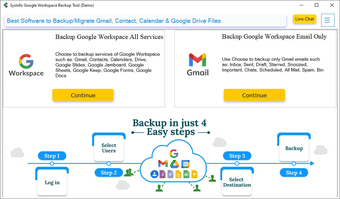
Managing cloud-based business information requires a dependable solution that ensures accessibility, retention, and transferability. SysInfo Google Workspace Backup Tool is designed to help organizations, administrators, consultants, and individual users preserve important content stored within Google Workspace accounts. The application provides a structured environment for downloading, exporting, and transferring mailbox information and other associated elements from Google Workspace while maintaining original hierarchy and consistency.
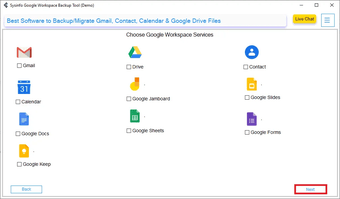
The utility supports the extraction of Gmail messages, attachments, contacts, calendars, and additional account components through an intuitive interface that simplifies complex administrative tasks. Whether an organization is planning a cloud migration project, implementing a long-term archiving strategy, creating local copies for compliance requirements, or protecting valuable communication records, this solution offers a practical approach to managing digital assets.
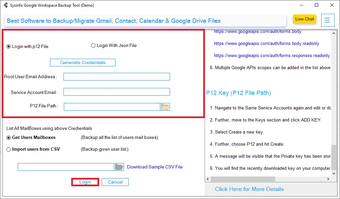
One of the primary strengths of the software is its ability to handle large-scale backup operations efficiently. Administrators can connect authorized Google Workspace accounts and initiate export processes without requiring extensive technical expertise. The guided workflow reduces complexity and allows users to configure backup preferences according to organizational requirements.
The application includes advanced filtering capabilities that help narrow down specific information before processing begins. Date-based criteria enable selective extraction, allowing professionals to capture only relevant content instead of downloading complete account repositories. This targeted approach helps reduce storage consumption and improves operational efficiency.
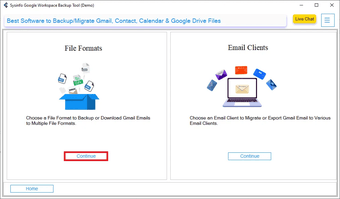
Another notable advantage is support for multiple saving destinations and export formats. Organizations often need flexibility when relocating information between different environments. The software facilitates this requirement by providing several options for storing retrieved data, ensuring compatibility with various email clients and business platforms. Such adaptability makes the tool suitable for both short-term projects and ongoing data management initiatives.
Data integrity remains a significant concern during migration or preservation activities. The utility is engineered to maintain folder structures, metadata, message attributes, and associated components throughout processing. Preserving these elements helps ensure continuity, allowing users to access archived information in an organized manner after completion.
The interface has been developed with usability in mind. Clear navigation, simplified configuration settings, and logical workflow progression help reduce the learning curve for first-time users. Technical professionals can perform complex operations with greater control, while less experienced individuals can complete backup procedures through straightforward steps.
Loading…
App specs
License
Demo
Version
26.0.1
Latest update
Platform
Mac
OS
macOS 10.15
Language
English
Downloads
1
Size
219.80 MB
Developer
- SysInfoTools
- More programs (30)
SysInfo Mac Google Workspace Backup Tool
- Demo
- 4.51
- 1
- V26.0.1
Download for Mac
View an ad to download for free
User reviews about SysInfo Mac Google Workspace Backup Tool
Have you tried SysInfo Mac Google Workspace Backup Tool? Be the first to leave your opinion!
Add reviewTop downloads Utilities & Tools for Mac
Top downloads Utilities & Tools for Mac
Top downloads Utilities & Tools for Mac
Related topics about SysInfo Mac Google Workspace Backup Tool
Latest articles

AppleTV bets on a classic of literature… and Scorsese's cinema for its new series

The most important announcements of the Summer Game Fest 2026

The Odyssey will be the second most expensive adult film in history

Spider-Noir could have come out a year earlier if it hadn't had to be in color

Euphoria reaches 8.5 million viewers in a disappointing season finale
Laws concerning the use of this software vary from country to country. We do not encourage or condone the use of this program if it is in violation of these laws. Softonic may receive a referral fee if you click or buy any of the products featured here.